One vault for all your BIM content.
A private, collaborative library to review, maintain and share your firm's Revit standards.
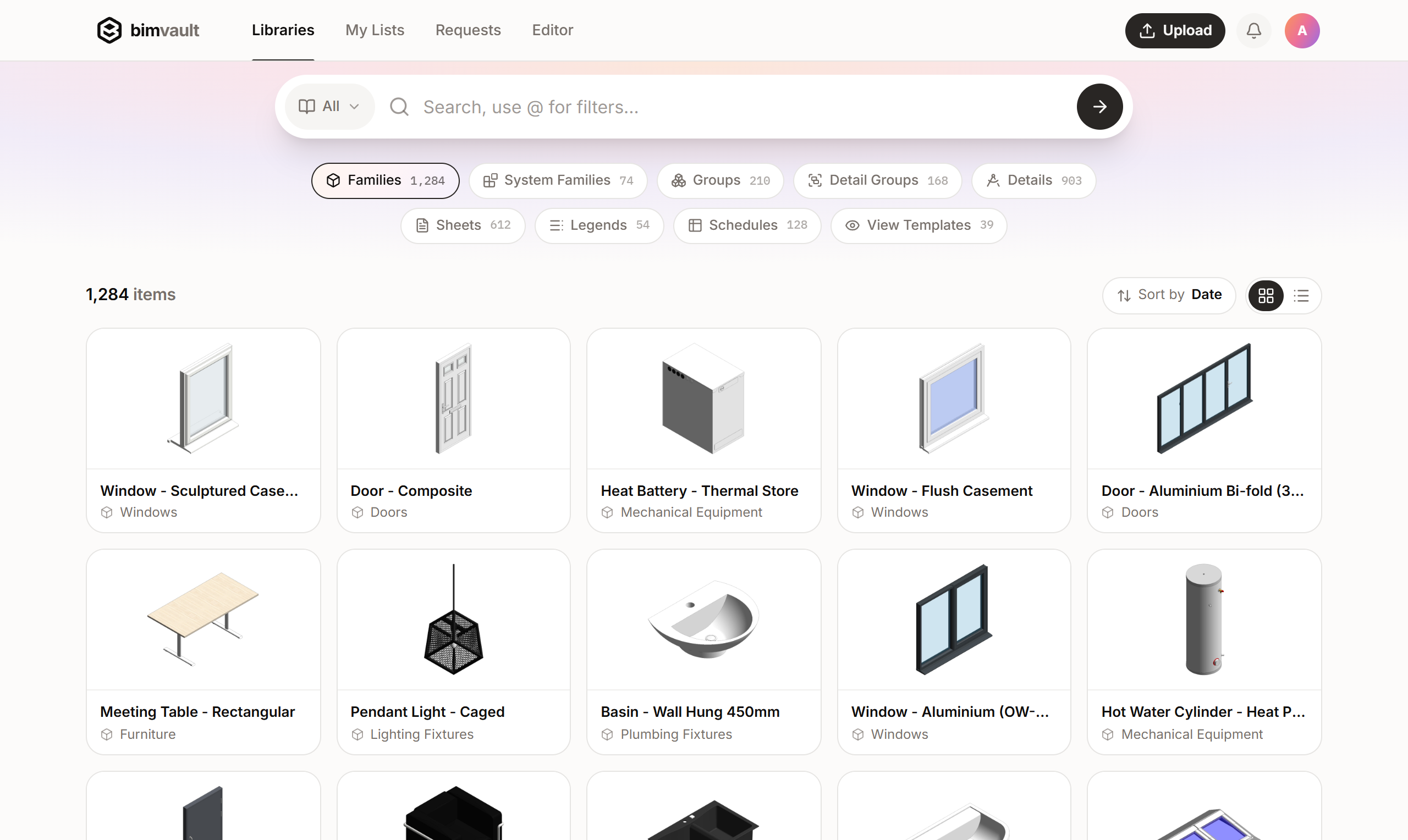
A private, collaborative library to review, maintain and share your firm's Revit standards.
How it works
Keep a firm-wide standard alongside per-office or per-client libraries, all searchable at once.
Text notes and keynotes are indexed from the model at publish. No OCR, no naming convention required.
Every re-publish becomes a new version. Nothing overwritten, the full history a click away.
Browse, search, review and manage your team. Nothing to install.
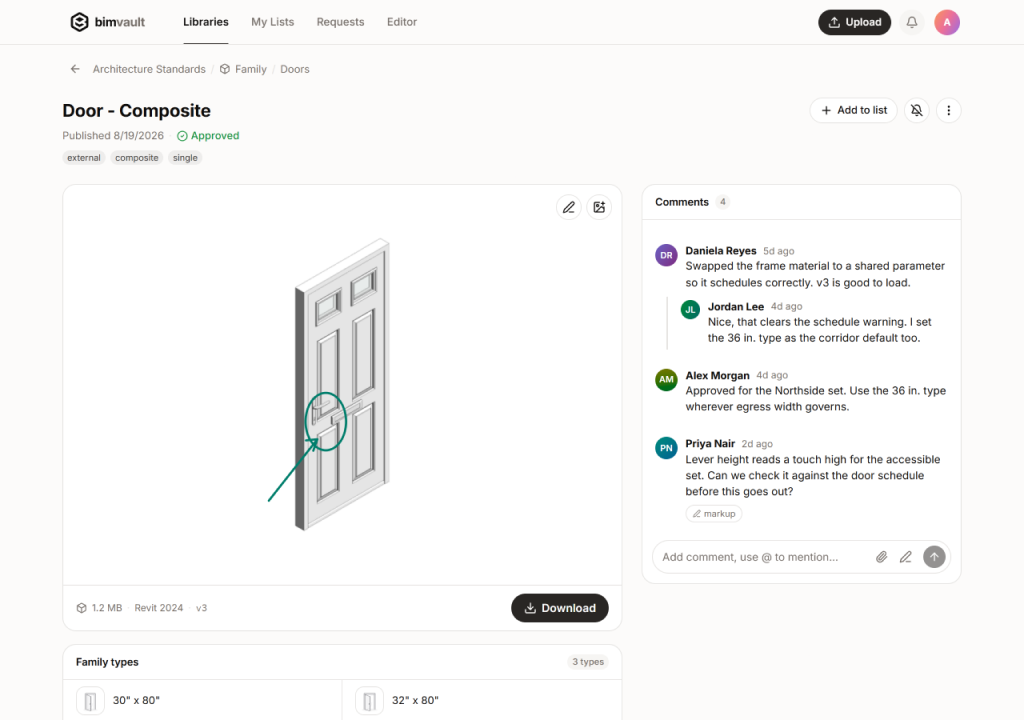
A dockable panel. Search, preview and load into the open model in seconds, without leaving Revit.
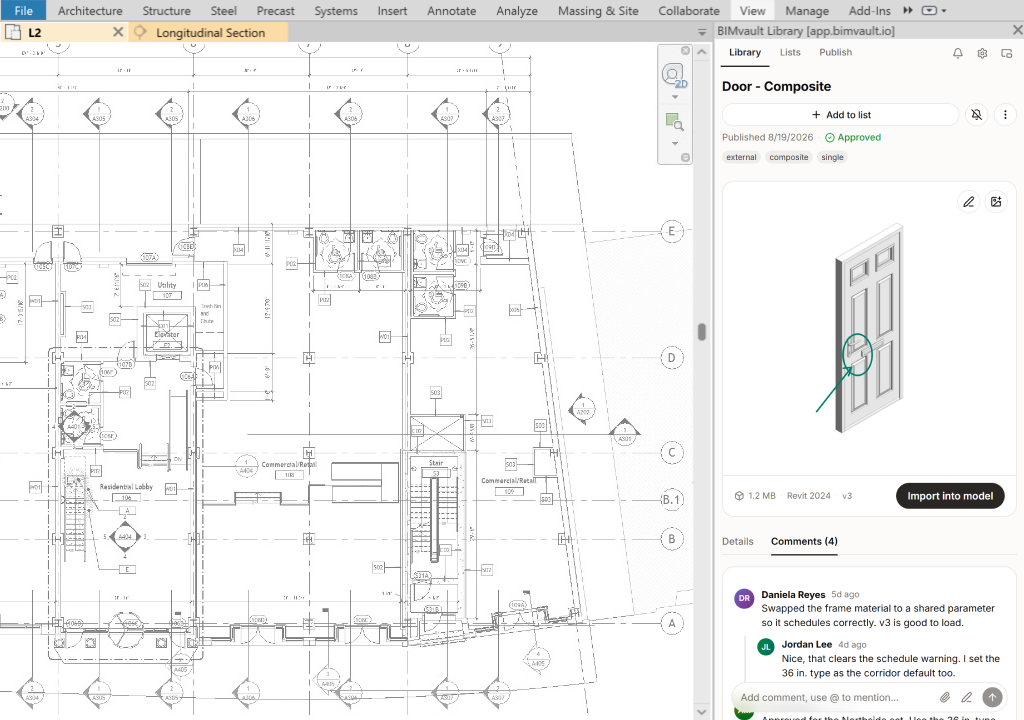
Curate, request, review and discuss right where the content lives.
Comments, redlines and decisions live on the item itself, so the reasoning never gets lost.
Anyone can request a missing detail or family. Track it on a Kanban board and get notified when it's ready.
Reviewers redline directly on the item preview. The drawing and the feedback stay together, no PDF round-trips.
See the readiness of each item and follow along to know when your item is updated.
Create collections of items as lists for yourself or share them with your team.
Privacy
We don't do whole-model ingestion. NDA work structurally stays in the office.
Nothing leaves Revit unless someone deliberately publishes it. There is no whole-model ingestion, so NDA work structurally stays in the office.
Version checks and crash reports, nothing else. Every payload is documented in plain language you can read.
Keystrokes, screenshots, per-user activity, your models. No model scanning, not even as an opt-in.
Pricing
Flat price for your firm. No feature tiers, no add‑ons.
* Free during early access. Early-access firms keep their listed price for 6 months after launch. Above 75 seats? Talk to us.
Anything else? Email us at [email protected].
It copies, it does not find. You need to know which project file holds the detail, keep archives mounted, and it carries no search, no versions and no review. The hours firms lose are spent hunting for details, not copying them.
It is bundled, and it shows. It is weak at details, slow, and features its users relied on, like content requests, were dropped after the UNIFI acquisition. Requests are built into bimvault.
Nothing until launch, and no card. The prices above are what you will pay at launch: one flat price for the whole firm. Early-access firms keep their listed price for 6 months after launch, and we give 30 days' notice before anything changes.
Revit 2022 through 2027, on Windows. The web app runs in any modern browser.
Only what you deliberately publish. There is no whole-model ingestion at all, so NDA work structurally never leaves the office.
Run the installer on each seat and sign in with your firm account. For a larger rollout, email us and we will help.
It is yours. We will help you take every family and detail with you.
We onboard a few firms at a time. Leave your email and we will reach out when a spot opens.
Already onboarded? Open the web app · Download for Revit